-
Minecraft Cheats
 Kill Aura, Crystal Aura, ESP, X-Ray + More...
Quality Undetected Minecraft Hacks by Cosmo CheatsUndetected Minecraft Cheats
 Quality Minecraft Hacks from Cosmo Cheats
  Kill Aura, Crystal Aura, ESP, X-Ray & More...
-
Featured Products
Why Choose CosmoCheats for Minecraft Cheats?
-
Minecraft has had one of the biggest and most consistent player bases of any game ever made and over a decade in that hasn't changed. Whether you spend your time in survival mode building out your base, running a server for your community, or competing on PvP servers, the game rewards players who have put real time into every mechanic and every map. The other side always has that one player who seems to know exactly where you are before you get close and never seems to miss. CosmoCheats has cheats built to give every player the tools they need to compete. Our aimbot, ESP, and full hacks package work across Java edition and server environments and this page also covers the complete list of Minecraft console commands and server commands so everything is in one spot. Download from our website, check the page for current status, and get your setup running in minutes.
Minecraft Hacks | Cosmo Cheats
Undetected Hacks and Cheats for Minecraft by Cosmo
CosmoCheats's Features
-
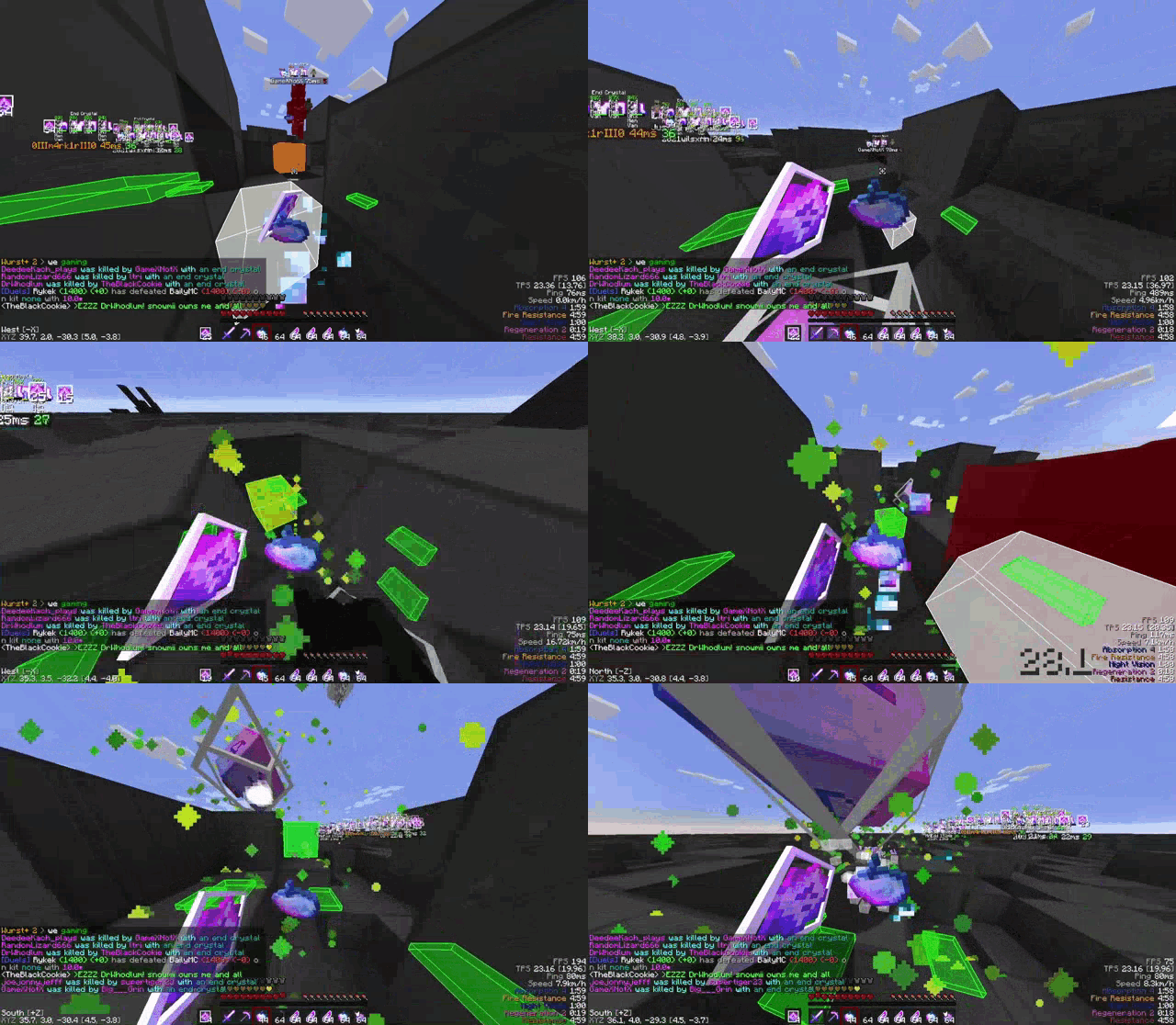
Kill Aura & Crystal Aura
Kill Aura swings on every player and mob that comes within range automatically so you never have to worry about timing your clicks or missing a hit and in a PvP fight where a few missed swings decides everything that matters a lot. Crystal Aura takes it further and handles the whole end crystal process on its own, placing and detonating crystals faster than any player can manually manage so the damage output is just on a completely different level. Both have range, speed, and targeting settings you can adjust so the whole thing looks like a player who's just really good rather than something running in the background.
-
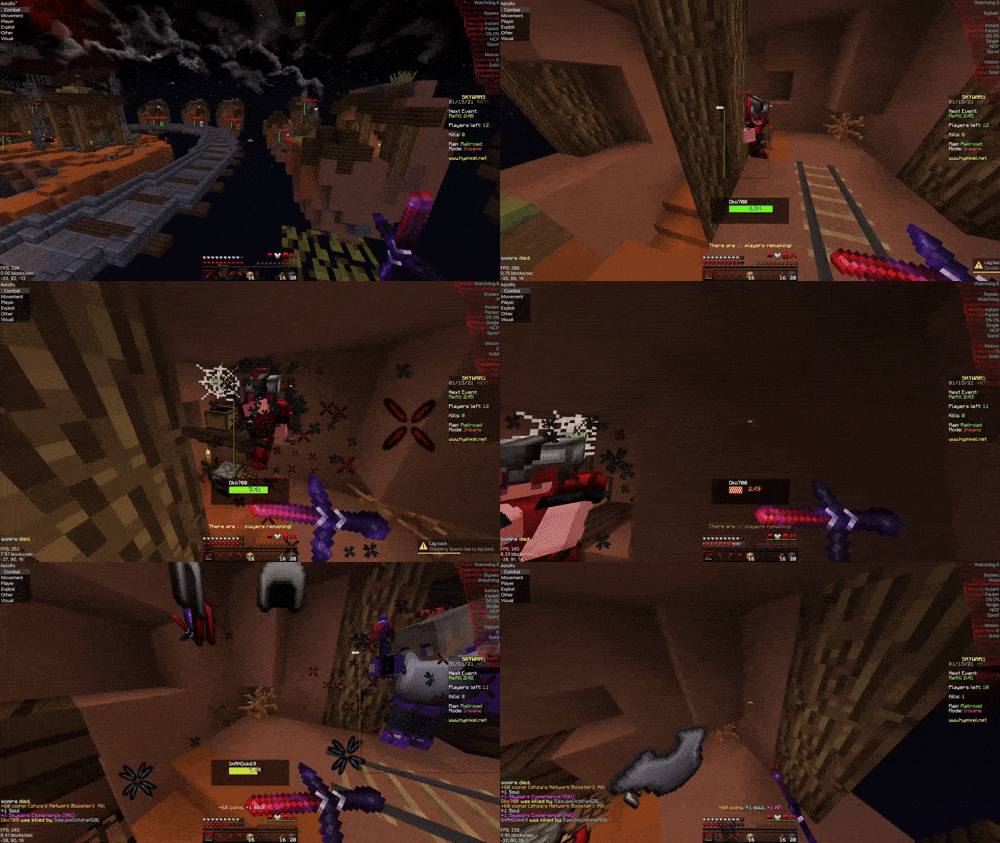
Misc & Exploit Options
Our Minecraft misc and exploit options cover everything outside of Kill Aura and Crystal Aura. X-Ray lets you see ores, loot, and players through any block so nothing on the map is hidden from you. Scaffold places blocks automatically under your feet as you move which makes bridging and building in combat a completely different experience. Fly hack gives you full map mobility, speed hack pushes your movement past anything another player can keep up with, and NoFall means fall damage just isnt a thing anymore. Auto Totem swaps a totem of undying into your offhand the second you need it and anti-KB cuts the knockback you take in fights down to almost nothing. The full exploit options set gives you complete control over every situation the game throws at you.
What do we offer?
At Cosmo Cheats, our motto is to provide high-quality undetected cheats and Spoofers with 24/7 Exceptional Support🥇
-
Quality and Security
Every build goes through testing before release and nothing goes out until cheats are confirmed clean across current server versions. Security is the foundation of every build we put out.
-
Wide Range of Features
Beyond Kill Aura and ESP the full package has god mode, fly hack, speed hack, scaffold, reach, anti-KB, nuker, auto totem, and more on top of that. Everything works across survival mode, multiplayer servers, and custom game modes. Full list is on our website page.
-
Fast and Reliable Support
Support replies fast. Got an issue after a Minecraft update? Hit up our website or Discord same day. Every question gets a real answer. Check existing posts before submitting a new one since most issues have already been answered.
-
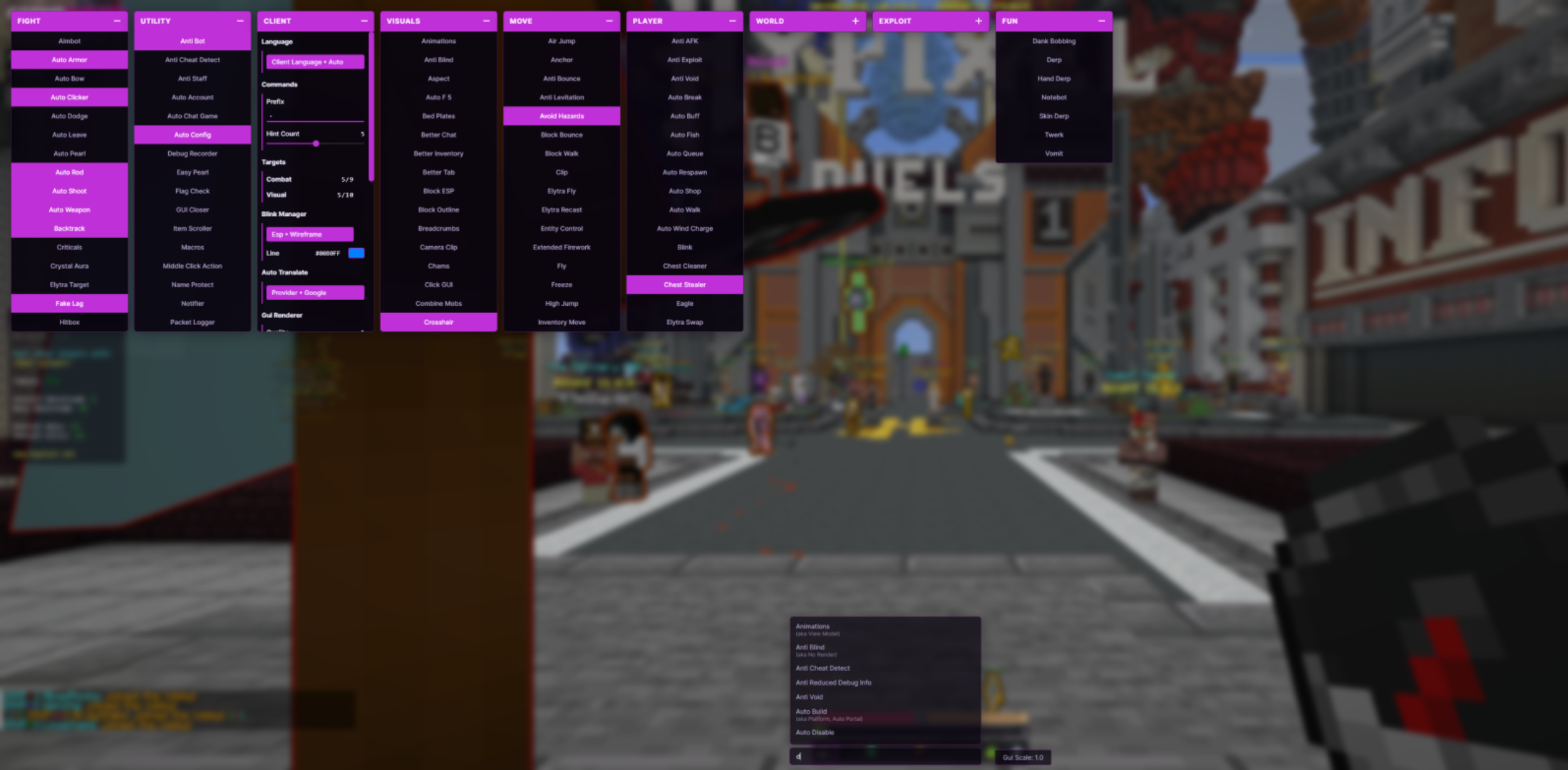
Easy-to-Use Interface
Download, run as admin, activate the cheats you want, and play. Setup takes about five minutes. Clean interface, every feature clearly labelled, works from day one regardless of which server type you play on.
Frequently Asked Questions
-
Are These Cheats Undetected?
Yes. Every build gets tested against current anticheats before it goes out and we push updates whenever Minecraft patches. Watchdog, NCP, AAC, most of the common ones are covered. Just keep your settings reasonable, don't play in an obvious way that gets you mass reported, and check the page after any game update before loading in.
-
Do They Work on All Servers?
Yes. Our cheats work on all servers even the ones with good anti-cheats. We got all bypasses and stuff that keeps you uncaught by anticheats, make sure you play legit and don't get reported a lot and you should be running fine on all servers!
-
Do the Cheats Work on Hypixel?
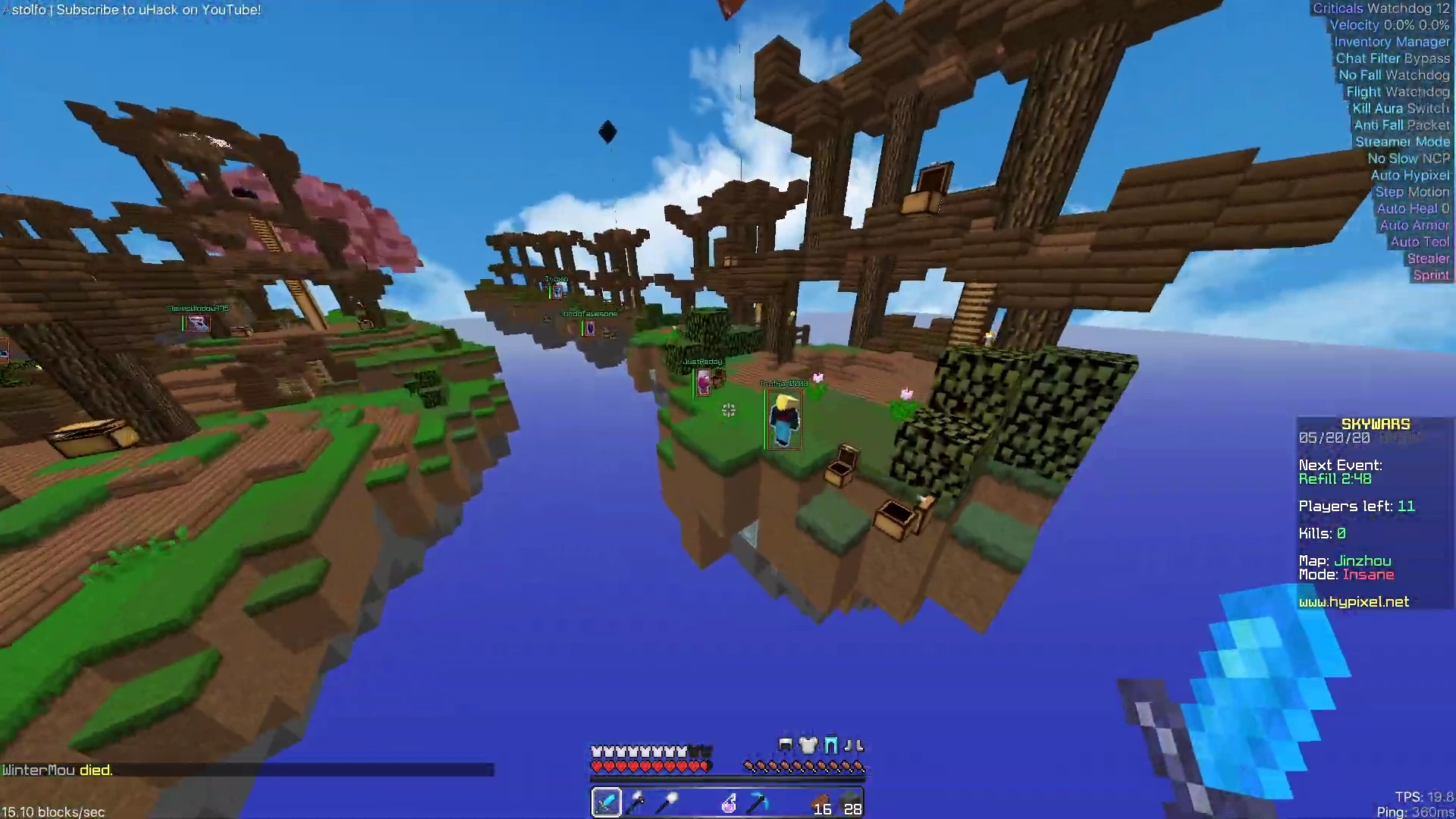
Yes. Hypixel runs Watchdog and it's one of the more aggressive anticheats out there but our bypasses are built around it. Keep Kill Aura on reasonable settings and don't play in a way that makes it obvious and you'll be fine. Check our Discord for Hypixel-specific config recommendations from players who run it daily.
-
How Fast Do Updates Come After a Minecraft Patch?
Fast. The moment Minecraft pushes an update our team gets a compatible build out. Check the page or Discord for current status after any patch and wait for confirmation before running anything. We post update notes every time so you're never just sitting there guessing.
Real Talk About Minecraft Cheats
-
Why Cheats Change the Whole Experience
Full control in Minecraft changes how every session plays out. God mode means fire damage, fall damage, and hostile mobs ending your run early just stop being things you deal with. Speed hack covers ground faster than normal play ever allows on a large server and that alone saves a significant amount of time. For players on competitive servers where other players are already running every advantage available, our cheats put you past that level fast. Our hacks are built properly with real support behind them unlike the free code options that get flagged inside one game session and leave you starting from scratch.
-
Using Cheats Across Different Server Types
Survival mode servers benefit most from god mode and ESP together because you always know where other players are and damage stops being a concern. PvP focused servers are where Kill Aura and Crystal Aura do the most damage and make the biggest difference in how every fight plays out. Our cheats work across every server type Minecraft supports including both Java edition and bedrock edition environments. Download, get your setup sorted, and play with every advantage from the very first session.
Minecraft Console Commands & Cheats Reference
-
How to Enable Cheats and Use the Console
Getting Minecraft console commands to work starts with making sure cheats are actually enabled on the world or server you're on. In Java edition that happens during new world creation or by using the start LAN world option mid-session which lets you toggle allow cheats on the fly. On a dedicated server the server owner has to grant a player's operator status first because most commands won't respond without it. To run any command you type a forward slash into the console followed by the command name. The tab key is useful here because it auto-completes commands and fills arguments in as you type, most common commands are much faster to learn this way than reading through documentation. Everything stays locked unless cheats are enabled and the player's permissions are set correctly for the current game session.
-
Common Commands Every Player Should Know
Most Minecraft commands follow the same structure throughout: forward slash, command name, then arguments. Teleporting to x y z coordinates is done with /tp [player] [x y z] which teleports entities straight to wherever you set. To change difficulty or switch between game modes the /gamemode command handles it with one specific console command, /gamemode creative being the most reached-for option. Instantly killing a target is /kill and targeting a random player uses the @r selector. Status effects go on players through /effect and it works on a single target or multiple players at once. The world's game time and the day night cycle across the server are both controlled through /time set.
-
Server Commands and Operator Status
Server commands are what the server owner uses to handle player management and access control. Giving a player's operator status is /op [player] and /deop takes it away. The server whitelist is managed through /whitelist add and /whitelist remove. Banned ip addresses are added with /ban-ip and cleared with /pardon-ip, the banlist ips command shows every currently banned address at once. Kicking a player is /kick [player] [optional reason] and the optional reason shows up to them when they get removed. Currently connected players are shown with /list. All of these server commands give the server owner full control over who can connect and what each player is actually allowed to do once they're in.
-
Teleport, Spawn, and World Commands
The /tp command teleports entities to a specific spawn point or straight to another player's current location on the map. To get things spawned automatically you use /summon with the entity type and x y z coordinates and the game handles the rest. The global spawn point for a player is changed with /setworldspawn and in a new world the current seed comes back with /seed which is useful when sharing builds or recreating maps. The /locate command finds the nearest structure from your current location and saves a lot of time compared to combing through random locations looking for something. These are some of the most used Minecraft commands on any active server.
-
Command Blocks and Function Files
A command block is a special in-game block that runs commands automatically when redstone powers it without any player input needed each time. You get one with /give using the right code for your specific version. A function file takes that further and lets server owners run a whole sequence of commands from one single file rather than chaining command blocks together manually. A selected portion of commands in a function file runs in order so you can apply status effects, change difficulty, and teleport entities all from one single click of a redstone trigger. Check the contents usage notes for your version because function file code and syntax can vary between updates.
-
Advanced Commands and Special Options
The /clone command copies a selected portion of the world between two regions and pastes it at a new location and the regions match requirement means both areas need to be properly defined before you run it. The /fill command places a specific block across an area or clears it entirely depending on the arguments. Reading data off a specific object or target object in the world is handled by /data get. The /tellraw command pushes a json message to players and a json message supports formatted code and clickable text that a standard private message just cannot do, one example being hover events and run-command triggers built into the code. The /dialogue command handles npc dialogue in adventure maps and custom builds. The /connect command lets the client connect to the websocket servers via a provided url for external tool integration and if attempts to connect to the websocket keep failing the provided url or server-side settings are where to look first.
-
Damage, Protection, and Game Rules
The /effect command stacks status effects like resistance onto players to reduce or block fall damage and fire damage. The /gamerule command controls game-wide settings so /gamerule doFireTick false stops fire spread and /gamerule doMobSpawning false stops mobs from being spawned automatically across the map. God mode through our cheats goes past all of that and removes all incoming damage entirely which normal play commands cannot fully replicate on their own. Stack a few gamerule settings on a server and fall damage and fire damage are completely removed, giving players a longer break from managing survival pressure without needing a specific console command written out for every situation.
-
Bedrock Edition Commands and Differences
Bedrock edition shares most commands with Java edition but syntax differs in certain areas. Connecting to websocket servers in bedrock edition uses /wsserver with a provided url while Java edition uses the /connect command for the same thing. Command block behavior is mostly consistent across both editions but the immutable state and contents usage of command blocks in bedrock edition can differ from how they work in Java. Server commands, operator status assignment, server whitelist management, and banned ip addresses handling all work essentially the same across both editions. When moving setups between editions check the code and syntax before getting configurations re added to the new environment. One example that catches people out is how bedrock edition handles point for a player in custom scoring setups compared to Java edition.
-
Pending Changes and World Management
Running a large server means staying on top of pending changes so nothing gets lost when something restarts unexpectedly. The /save-all command writes all pending changes to disk right away and /save-off pauses automatic saving during large builds or when testing changes before committing, then /save-on flips it back on when done. If you need to start LAN world access during an active server session run a save first. The maximum number of players on a server is set in the server properties file but currently connected players are managed through server commands at runtime. Spectator mode is assigned with /gamemode spectator which lets a player observe the world without interacting with anything. The /msg command fires a private message to a specific player and the /me command broadcasts a player's selected item or current action to other players in the session.
-
Posts
-
-
-
Total Members 132223
-
Most Online 48632
-
Newest Member Joshua Turner

-
-
Featured Products
-

Cosmo Minecraft
UNDETECTEDfrom 4.00
-
-
Members
- joeyburr
- princeklaudi
- ChrisXgod77
- xxrogerramjetxx
- Joshua Turner
- DennisSchj
- Braydan Keough
- k33
- Martin44
- dayzproz
- nibba67
- Raqy
- gstar26
- IKDAL ALI
- batman1224
- Sl6
- krexe
- salm De
- MAC18
- mekail
- Yuliyan Angelov
- Urhrh Heh
- Mrtislliopn
- Denis Bolfek
- mecy
- Hantu1111
- ogpino
- denaro giovanni
- Thomas Alderton
- Fawks86
- Fndlr.
- xxxx1314
- kerpetencihat
- kai1001
- Isaac Sowell
- dwd9605
- DCP
- Zxdiac
- Crocxy
- ΠΑΣΧΑΛΗΣ ΘΕΟΦΙΛΟΥ
- jayjay2525
- Santito
- Illyase Verger
- Nero 9980
- Artur Kudaj
- Eduard Manchon
- Stiltyy
-
Tell a friend